


MacBook Air M5 vs Windows Laptops 2026 Buyer’s Guide is really just the question most people are asking this month once the phone launch dust settles: should you spend the next five years on an M5 MacBook Air, or has Windows finally caught up enough that a Zenbook or a cheap XPS makes more sense. Apple now sells three clear rungs. The MacBook Neo is the budget ticket, the M5 Air is the one most reviewers still tell ordinary buyers to get, and the M5 Pro is what you pay for if you export video for a living. On the other side, the Asus Zenbook A14 and a $699 Dell XPS 13 have become the Windows answers that do not feel like a compromise, which is new. Memory is expensive right now, so buy the RAM you actually need on day one, because none of these machines will let you add more later.
MacBook Air M5 vs Windows Laptops 2026 Buyer’s Guide: who this is for
If you already live in Apple’s apps, want a laptop that stays silent, and can spend roughly $1,250 to $1,500 US, the 13-inch or 15-inch MacBook Air M5 is still the cleanest buy. If you need Windows, a strong NPU, and the machine Mashable keeps stacking against the Air in multi-core tests, look at the Zenbook A14. If $700 is the ceiling and you refuse to take home plastic, the 2026 Dell XPS 13 is the one Tom’s Guide just treated as laptop of the year. The Neo only makes sense if the budget is brutal and you can live without Touch ID and with a dimmer screen. If you game or sit on long renders, skip the Air class entirely and get a 14-inch MacBook Pro M5 or a Panther Lake Windows laptop with real Arc or RTX graphics.
That is the decision. The rest is why.
What actually changed this year
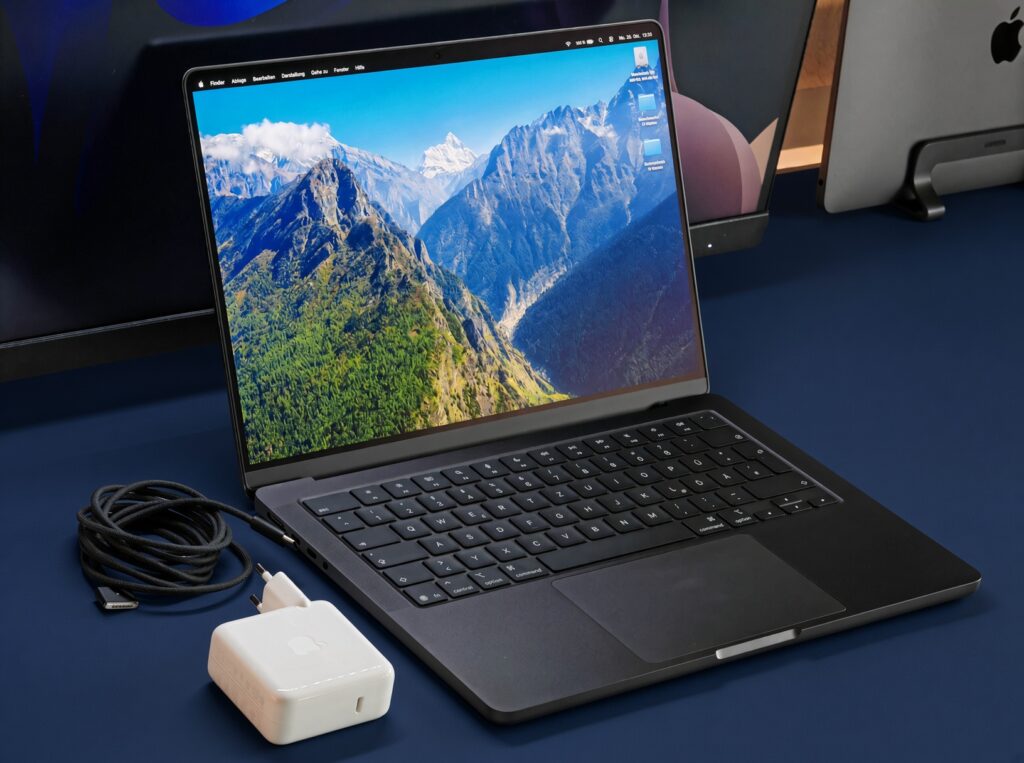
The M5 Air is not a new design. Reviewers keep recommending it because the chip is fast, a lot of configs now start at 512GB of storage, and you get Thunderbolt 4, Wi-Fi 7, and a working day of battery in a fanless slab. It costs about $100 more than last year’s Air, and the RAM and SSD are still soldered, which is the usual Apple tax.
Windows closed two gaps that used to be automatic wins for Apple. Snapdragon and Intel Panther Lake machines now post battery numbers that used to belong only to MacBooks, and the Zenbook A14 is the model that keeps showing up as the Air’s real rival. The XPS 13 at $699 is the Neo fighter: CNC aluminum, a sharp 13.4-inch 2.5K touch panel, and a build that does not feel like a student special. The catch is RAM. The base box is tight. If you can pay for 16GB instead of 8GB, do it in the shop, not after you get home.
When a Mac is the right call
macOS still makes sense if Final Cut, Logic, Xcode, or a quiet machine matters more to you than games. The Air is the default for that life. The 15-inch is easier to live with at a table. The 14-inch Pro adds fans, extra ports, a better screen, and the kind of sustained power you only notice when an export runs for an hour. Pay for that only if those exports are your job. The Neo exists so Apple has a $700 product. Reviewers like the chassis for the money and then immediately list the things you feel every time you wake it up.
When Windows is the right call
Windows still wins if your work needs Visio, a particular VPN, Active Directory tools, or a game at lunch. The Zenbook A14 is the current “most people” Windows pick in the September roundups: thin, long battery, and strong multi-core numbers. The XPS 13 is the budget metal pick. Gaming still belongs on a Blade or a Legion with a discrete GPU, because nothing in the Air class matches a 2026 RTX laptop in games, and pretending otherwise just wastes money.
Touchscreens and OLED are still a Windows habit. Apple has not put OLED on the Air. If you want a 2-in-1 you can fold and poke, look at a Surface or the Zenbook Duo rather than waiting for Cupertino.
How to spend the money without regretting it
Put RAM first. 16GB is the floor in 2026, and 32GB is worth it if you run local AI models or keep huge photo libraries. Storage comes second. 512GB is the new sane base, and 256GB fills up in a year of photos and installers. Ports come third. Count the USB-C sockets and ask yourself whether you still need USB-A before the lid design talks you into a machine that needs a dock on day two.
Check Apple Australia, JB Hi-Fi, and Officeworks on the day you buy. The US street prices in this piece will not match the AUD tickets, and the memory spike is hitting both brands.
Who should wait
Wait if you are chasing a foldable laptop gimmick. Wait if the only reason you opened a laptop tab is that iPhone 18 week made you restless. A machine you keep for five years is a worse place to impulse-buy than a phone you replace in two.
If you take nothing else from this MacBook Air M5 vs Windows Laptops 2026 Buyer’s Guide, take this: Air for Apple people, Zenbook A14 for Windows people who will pay mid-range, XPS 13 if the budget is the point. Confirm the RAM in the configuration before you tap pay.